
Get Answers
Use Strong Passwords and Biometric Security
To protect sensitive data, always use a strong password on your phone. This is your first line of defence against unauthorised access. Choose a password that is hard to guess, combining letters, numbers, and symbols.
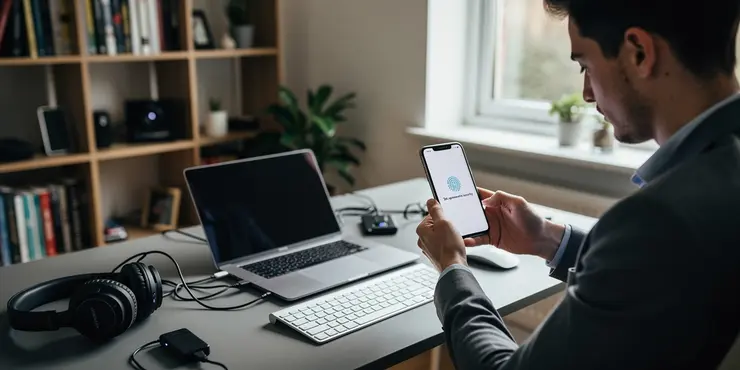
In addition to passwords, enable biometric security features. Use fingerprint or facial recognition if your device supports it. This provides a convenient yet secure way to unlock your device.
Keep Your Software Updated
Ensure your phone's operating system is up to date. Software updates often include security patches that address vulnerabilities. Ignoring updates can leave your data exposed to risks.
Similarly, regularly update your applications. Developers release updates to fix bugs and enhance security. Outdated apps can be a weak point for security breaches.
Encrypt Your Data
Encryption is a crucial step in securing your sensitive information. Most modern smartphones offer data encryption settings. This means if your phone is lost or stolen, your data remains inaccessible without the proper credentials.
Check your phone's settings to enable encryption. It adds an extra layer of security and ensures your sensitive information stays private.
Be Cautious with Apps
Only download apps from trusted sources, like the official app store. Third-party apps can sometimes harbor malware or spyware, compromising your data security.
Review the permissions requested by each app before installation. Be wary of apps asking for unnecessary access to your personal information.
Utilize Security and Antivirus Software
Consider installing reputable antivirus software on your phone. These programs can detect and remove malware and other security threats.
Security software often provides real-time protection and can warn you about potential risks. Keep the software up to date for the best results.
Avoid Public Wi-Fi for Sensitive Transactions
Public Wi-Fi networks are often insecure, making them a target for hackers. Avoid accessing sensitive information, such as banking details, while connected to public Wi-Fi.
If necessary, use a virtual private network (VPN) when accessing the internet over public connections. A VPN encrypts your internet traffic, making it harder for others to intercept your data.
Regularly Backup Your Data
Frequent backups of your data can mitigate data loss. Use cloud services or external storage to back up important files and information.
If your phone is compromised or damaged, backups ensure you can recover your data. Set up automatic backups to simplify this process and ensure consistency.
Frequently Asked Questions
You can encrypt your phone's data by going to your device's security settings and enabling encryption. Most modern smartphones have built-in options to encrypt the entire device.
Strong passwords are crucial because they make it difficult for unauthorized users to access your sensitive data. Use a combination of letters, numbers, and special characters.
Yes, using biometric methods like fingerprints or facial recognition adds an extra layer of security, making it harder for others to access your data.
Regularly back up your sensitive data to a secure location to ensure it can be recovered in case your phone is lost or compromised. Consider doing this at least once a week.
Mobile security apps can provide antivirus protection, detect vulnerabilities, and offer features like app locking and remote data wiping.
Public Wi-Fi can be insecure. Avoid accessing sensitive data on public Wi-Fi or use a VPN to encrypt your data traffic when using such networks.
A VPN (Virtual Private Network) encrypts your internet traffic and hides your online activities from prying eyes, making your data more secure on public networks.
Only install apps from reputable sources, review app permissions before installing, and keep your apps updated to protect your data against vulnerabilities.
Updates often include security patches that fix vulnerabilities and protect against new threats, which helps in securing your sensitive data.
Two-factor authentication adds an extra security layer by requiring a second verification method, like a text message or app notification, reducing the risk of unauthorized access.
Use your phone's built-in remote features to locate, lock, or erase your data. These features can prevent unauthorized access.
Turn off Bluetooth and NFC when not in use, and avoid pairing with unknown devices to prevent unauthorized data access.
Third-party apps may not be vetted for security and could contain malware, putting your sensitive data at risk. Stick to official app stores.
Review app permissions regularly and disable those that are not necessary for the app’s functionality to limit data access.
While possible, bypassing encryption is extremely difficult and typically requires sophisticated tools or techniques. Keeping your phone updated increases encryption effectiveness.
Cloud storage offers an offsite backup, ensuring data recovery even if your device is compromised. Use encrypted cloud services for additional security.
Be cautious of unsolicited messages or links, verify the sender's identity, and never input sensitive information into unverified websites or apps.
Logging out of apps prevents unauthorized access to your accounts in case your phone is left unattended or accessed by others.
App sandboxing isolates apps within their own separate environments, preventing them from accessing data from other apps without permission.
Immediately change your passwords, enable two-factor authentication, check for and remove suspicious apps, and consider resetting the device to factory settings.

Ergsy Search Results
This website offers general information and is not a substitute for professional advice.
Always seek guidance from qualified professionals.
If you have any medical concerns or need urgent help, contact a healthcare professional or emergency services immediately.
Some of this content was generated with AI assistance. We've done our best to keep it accurate, helpful, and human-friendly.
- Ergsy carefully checks the information in the videos we provide here.
- Videos shown by Youtube after a video has completed, have NOT been reviewed by ERGSY.
- To view, click the arrow in centre of video.
- Most of the videos you find here will have subtitles and/or closed captions available.
- You may need to turn these on, and choose your preferred language.
- Go to the video you'd like to watch.
- If closed captions (CC) are available, settings will be visible on the bottom right of the video player.
- To turn on Captions, click settings.
- To turn off Captions, click settings again.