
Get Answers
Understanding UK Council Tax Overpayments
Council Tax is a local taxation system used in England, Scotland, and Wales, where local councils charge households for providing services such as waste collection, road maintenance, and education. Sometimes, for various reasons, you might overpay your Council Tax. This guide will help you find out if that's the case and what steps you can take to address the situation.
Check Your Council Tax Bill
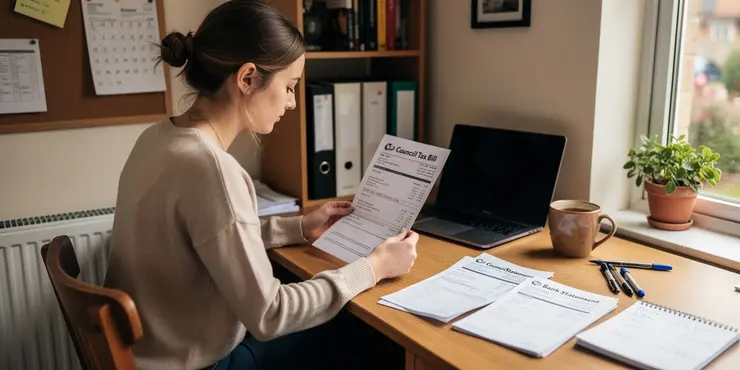
The first step in finding out if you have overpaid your Council Tax is to carefully review your Council Tax bill. This bill is typically sent out annually, outlining the amount you are expected to pay, how this amount has been calculated, and the payment schedule. If you notice discrepancies between the bill and what you've paid, this might indicate an overpayment.
Review Your Payment Records
It is important to meticulously check your bank statements and any payment receipts against the Council Tax bill. Ensure that the payments you've made match the amounts and schedule indicated on your bill. Look for duplicated payments or any additional amounts that might not tally with what you owe. If you pay by Direct Debit, occasionally software errors or bank issues can result in overpayments.
Contact Your Local Council
If you suspect that you have overpaid your Council Tax, contact your local council's billing department. You can find their contact information on previous bills or the council's official website. They can provide detailed payment histories and confirm whether there have been any overpayments. The council can also offer guidance on the next steps to recover any overpaid amounts.
Use Online Council Services
Many councils offer online services where you can log into your account to view payment histories and other pertinent information. This can be a quick way to verify payments. Check if your council’s website provides this service and register if necessary. It allows you to compare the council’s records with your personal payment records efficiently.
Understanding Discounts and Exemptions
Being aware of available discounts and exemptions is crucial to ensuring you are not overpaying. For example, single person households are eligible for a 25% discount. Other exemptions and reductions could apply due to factors such as disabilities or if the property is unoccupied. Verify that all applicable discounts or exemptions have been applied to your bill.
Seek Professional Advice
If you are unable to resolve the issue on your own, consider seeking advice from a professional or an organization like Citizens Advice. They can provide guidance tailored to your situation, helping you navigate the process of reclaiming any overpayments effectively.
Refund Process
If the local council confirms that you have overpaid, inquire about the refund process. Councils usually return overpayments by either reducing future bills or through a direct refund to your bank account. Clarify the precise method and expected timeline for the refund.
Understanding UK Council Tax Overpayments
Council Tax is money you pay to your local town or city council. This helps pay for services like garbage collection, fixing roads, and schools in England, Scotland, and Wales. Sometimes, you might pay too much by mistake. This guide will help you learn how to check if you paid too much and what to do next.
Check Your Council Tax Bill
First, look at your Council Tax bill carefully. You usually get this bill once a year. It tells you how much you need to pay and when to pay it. If the amount you paid is different from what the bill says, you might have paid too much.
Review Your Payment Records
Next, check your bank statements and any payment slips. Compare them with your Council Tax bill. Make sure the amounts match and see if you paid the right amount at the right time. Check for any accidental double payments. If you pay from your bank automatically, mistakes can sometimes happen, and you could pay extra.
Contact Your Local Council
If you think you paid too much, contact your local council's billing office. You can find their contact details on past bills or the council's website. They can check your payments and tell you if you paid too much. They will also tell you what to do next to get your money back.
Use Online Council Services
Many councils have online services where you can check your payment history. This makes it easy to see what you have paid. Check if your council has a website where you can make an account. Then you can compare what the council has with your own records.
Understanding Discounts and Exemptions
Know about discounts and exemptions to make sure you don't pay too much. For example, if you live alone, you can pay 25% less. There are other discounts if someone in your home has a disability or if no one is living in the house. Make sure the right discounts are on your bill.
Seek Professional Advice
If you're having trouble sorting this out, ask for help from a professional or an organization like Citizens Advice. They can help you understand what to do to get your money back.
Refund Process
If your council finds you paid too much, ask how to get your refund. Councils might give back the extra money by lowering future bills or sending the money to your bank. Ask them how they will pay you back and when you can expect it.
Frequently Asked Questions
To find out if you've overpaid your UK Council Tax, review your Council Tax bill and compare the amount you have paid against the charges. You can also contact your local council directly for a detailed account statement.
You can request a copy of your Council Tax bill from your local council, either through their online portal or by contacting them directly via phone or email.
You'll need your Council Tax account number, recent bills, and receipts of payments you've made to check for overpayments.
Many councils offer online portals where you can view your Council Tax account and payment history. Check your council's website for access.
If you discover an overpayment, contact your local council to discuss the situation. They may be able to offer a refund or apply the overpayment to future bills.
Yes, if you're on a payment plan, overpayments might automatically be adjusted in future installments. Contact your council for specifics.
Time limits may vary by council, so it's important to contact your local council promptly if you believe you've overpaid.
If you have a credit on your account, it can typically be refunded or applied to future Council Tax charges, depending on your council's policy.
You'll typically need your Council Tax account number and personal identification details to inquire about overpayments.
Yes, if you qualify for a discount or exemption and it wasn't applied, you may have overpaid. Check your eligibility for any reliefs.
It's a good practice to review your Council Tax statements annually or whenever there is a change in your living situation.
Overpayments can occur if there are changes in your living situation, billing errors, or if a discount was missed.
Some councils have systems to notify account holders of overpayments, but it's not guaranteed, so regular checks are advised.
Refunds typically require you to request them. Contact your council to initiate the refund process if you prefer not to have the credit applied to future bills.
Contact your local council immediately to review your bill and payment history for any discrepancies.
Yes, if you leave without notifying your council or setting up billing for your new address, it might result in overpayment at your previous address.
Regularly review your account statements, ensure you inform your council of any changes in your circumstance, and check your eligibility for discounts or exemptions.
No, refunds for overpaid Council Tax are not considered taxable income.
You can dispute a Council Tax charge by contacting your local council and providing them with any evidence that supports your case.
No, overpayment does not affect your Council Tax band. Bands are determined by property valuations.
To see if you have paid too much UK Council Tax, follow these steps:
First, look at your Council Tax bill. See how much you have paid.
Next, compare this number to the charge on your bill.
If you're not sure, you can ask your local council for help. They can give you a detailed account statement.
If reading is hard, try using tools like text-to-speech software. These tools can read text out loud for you and help make it easier to understand.
You can get a copy of your Council Tax bill from your local council. You can do this online, or you can call them or send them an email.
You need to have your Council Tax account number. You also need your most recent bills and the receipts for payments you have made. This will help you check if you paid too much.
Use a calculator to help with checking. You can also ask someone you trust for help if you find it tricky.
Lots of councils have websites where you can look at your Council Tax account and see your payments. Go to your council's website to find this.
If you pay too much money, call your local council. Talk to them about what happened. They might give you the extra money back or use it to pay for future bills.
Yes, if you pay extra by mistake, your payments might be changed later. Talk to your council to find out more.
Different councils have different rules about time limits. It's good to talk to your local council quickly if you think you paid too much money.
If your account has extra money, you might get it back or use it to pay your future Council Tax. This depends on what your council says.
To ask about paying too much on your Council Tax, you will need your special Council Tax number and your personal details like your name and address.
Yes, you might have paid too much money if you should have got a discount but didn't. Check if you can get any special help.
It's a smart idea to check your Council Tax papers every year. You should also check them if you move or your living situation changes.
Sometimes too much money is paid. This can happen if:
- Your living situation changes
- There is a mistake with the bill
- You miss a discount
To help, you can use tools like calculators to check amounts, or ask someone for help if you think there is a problem.
Some councils might tell you if you've paid too much money, but not always. So, it's a good idea to check your account often.
If you want to get your money back, you usually need to ask for it. Talk to your council if you want your money back and not used for future bills.
If you find it hard to read, try using tools like text-to-speech apps that read words out loud. Or you can ask someone to help you with the words.
Talk to your local council right away. They can help you look at your bill and payment history to check for any mistakes.
Yes, if you move and do not tell your local council or set up your bills for your new home, you might pay too much money for your old home.
Check your account details often. Tell your council if anything in your life changes. See if you can get any discounts or special help.
If you paid too much Council Tax and got money back, you do not have to pay tax on it.
You can tell your local council if you think your Council Tax bill is wrong. Send them any proof you have to show why it is wrong.
No, paying too much does not change your Council Tax band. The band is decided by how much your home is worth.

Ergsy Search Results
This website offers general information and is not a substitute for professional advice.
Always seek guidance from qualified professionals.
If you have any medical concerns or need urgent help, contact a healthcare professional or emergency services immediately.
Some of this content was generated with AI assistance. We've done our best to keep it accurate, helpful, and human-friendly.
- Ergsy carefully checks the information in the videos we provide here.
- Videos shown by Youtube after a video has completed, have NOT been reviewed by ERGSY.
- To view, click the arrow in centre of video.
- Most of the videos you find here will have subtitles and/or closed captions available.
- You may need to turn these on, and choose your preferred language.
- Go to the video you'd like to watch.
- If closed captions (CC) are available, settings will be visible on the bottom right of the video player.
- To turn on Captions, click settings.
- To turn off Captions, click settings again.