
Get Answers
Understanding Overpayment of Council Tax
Many UK residents are required to pay Council Tax as part of their contribution towards local services such as policing, waste collection, and education. However, there are instances where individuals may accidentally overpay their Council Tax. Understanding whether you have overpaid and how to proceed can ensure you are not spending more than necessary.
Check Your Current Council Tax Bill
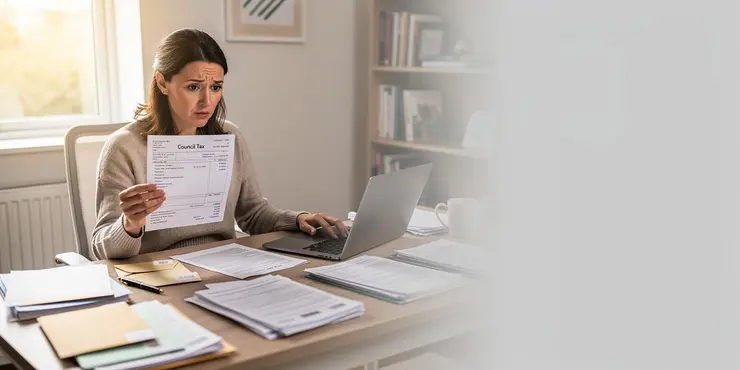
The first step in identifying if you have overpaid your Council Tax is to thoroughly review your latest bill. Each bill provides details about the total charge for the year, any discounts, exemptions, or reductions applied, and the amounts you have already paid. Compare these figures carefully against the payment records you hold, such as bank statements or direct debit confirmations, to see if there are any discrepancies.
Verify Your Council Tax Band
Council Tax charges are based on the valuation band assigned to your property. It is possible that you may have been charged incorrectly if your property is placed in a higher band than it should be. Verify your Council Tax band by visiting the official government website and searching for your property. If your band seems incorrect, you can apply to have your property's band reviewed.
Look for Overlooked Discounts or Exemptions
Ensure you take advantage of any discounts or exemptions that may apply to you. For instance, single person households or properties occupied solely by students often qualify for discounts. If you are eligible but no reduction is reflected on your bill, you may have overpaid and should contact your local council to rectify this.
Consider Changes During the Year
Events such as moving house, changes in the number of occupants, or alterations in personal circumstances can affect your Council Tax liability. If you pay for the entire year up-front and circumstances change, it’s possible you may overpay. Always inform your local council of any changes immediately to adjust your bill correctly.
Contact Your Local Council for Clarification
If you suspect an overpayment after reviewing your documentation, the best course of action is to contact your local council. They can provide you with a detailed statement of your account and help resolve any discrepancies. Be prepared with evidence of payments and any relevant documents when contacting them.
Request a Refund if Necessary
Should it be confirmed that you have overpaid your Council Tax, you are entitled to a refund. You can request this through your local council. Typically, councils will have a straightforward process to issue refunds, which may involve adjusting future payments or reimbursing the overpaid amount directly to your bank account.
Keep Records Organized
Maintaining organized records of all bills and payments is crucial in ensuring accuracy with Council Tax. Regularly check statements and keep copies of all correspondence with the council to avoid potential overpayments in the future and provide you with quick access to information if needed.
What is Overpayment of Council Tax?
People in the UK pay Council Tax to help pay for local services. These services include things like police, rubbish collection, and schools. Sometimes, people pay too much Council Tax by accident. It is good to know if you have paid too much and what to do to get your money back.
How to Check Your Council Tax Bill
First, look carefully at your latest Council Tax bill. The bill will tell you how much you should pay for the year. It might also show any discounts or reductions that apply. Compare this bill to what you have paid by looking at your bank statements. This will help you see if you have paid too much.
Make Sure Your Council Tax Band is Right
The amount you pay in Council Tax depends on what “band” your house is in. Sometimes a house is put into the wrong band and you might pay more than you should. Check your band by visiting the government website and searching for your address. If it seems wrong, you can ask for it to be checked.
Check for Discounts or Exemptions
See if you can get any discounts. For example, if you live alone or if students live in the house, there might be a discount. If you should have a discount but it’s not on your bill, you might have paid too much. Contact your local council to fix it.
Think About Changes in the Year
Things like moving house or changes in who lives with you can change your Council Tax. If you paid for the whole year and then something changed, you might have overpaid. Tell your council about any changes right away so they can update your bill.
Talk to Your Local Council
If you think you paid too much, contact your local council. They can show you a detailed account and help fix any problems. Have your payment records ready when you talk to them.
Ask for a Refund
If it turns out you overpaid, you can get your money back. Ask your local council for a refund. They might change future payments or give the extra money straight to your bank account.
Keep Your Records Neat
It is important to keep all your bills and payment records tidy. Look at your statements often. Keep all letters from the council. This will help you not pay too much in the future and make it easier if you need to check something.
Frequently Asked Questions
Council Tax overpayment detection is the process of identifying when a council tax account has been paid in excess of the amount due, so the overpaid amount can be corrected, refunded, or credited appropriately.
Council Tax overpayment detection works by comparing payments received against the billed liability on an account, then flagging situations such as duplicate payments, changes in liability, incorrect instalments, or credits that create a surplus.
Council Tax overpayment detection is important because it helps ensure customers do not pay more than they owe, improves billing accuracy, reduces account errors, and supports timely refunds or account adjustments.
Council Tax overpayment detection may flag an account when payments exceed the balance due, when direct debits continue after a liability change, when a refund has not been issued, or when overlapping billing periods create a credit.
Council Tax overpayment detection is usually handled by the local council's revenues or finance team, although customers can also spot possible overpayments by checking bills, statements, and payment history.
A resident can check Council Tax overpayment detection on their account by reviewing council tax bills, online account statements, payment records, and any credit balances or refund notices issued by the council.
Council Tax overpayment detection typically relies on council tax bills, payment confirmations, bank statements, direct debit records, and any correspondence about discounts, exemptions, or changes in tenancy or occupancy.
Council Tax overpayment detection can take from a few days to several weeks, depending on how the overpayment was identified, whether records need to be reconciled, and how quickly the council can verify the account details.
Yes, Council Tax overpayment detection can identify duplicate payments by matching payment references, dates, amounts, and account records to determine whether the same instalment was paid more than once.
Yes, Council Tax overpayment detection can identify direct debit overpayments when payments continue after the balance has changed, when instalments were not updated, or when a direct debit collected more than the remaining liability.
After Council Tax overpayment detection finds a credit balance, the council may apply the credit to future council tax instalments, issue a refund, or contact the account holder to confirm the correct action.
Refunds after Council Tax overpayment detection are usually issued once the council verifies the overpayment and confirms there are no outstanding amounts on the account that need to be offset first.
Yes, Council Tax overpayment detection can be used for historic payments if records show a past credit or duplicate payment, although older cases may require additional evidence and may be subject to council time limits.
Council Tax overpayment detection looks for amounts paid in excess of what is owed, while Council Tax arrears checking identifies unpaid or outstanding balances that the account holder still needs to pay.
Yes, Council Tax overpayment detection can find errors caused by council tax band changes if a revised band or backdated adjustment reduces the amount due and creates a credit on the account.
Yes, Council Tax overpayment detection can find errors caused by discounts or exemptions if relief was applied late, applied twice, or not reflected correctly in the billing schedule.
A tenant can use Council Tax overpayment detection when moving out by checking that the account end date is correct, confirming final bills were issued accurately, and making sure any remaining credit is refunded or transferred properly.
Yes, Council Tax overpayment detection can help prevent future billing mistakes by highlighting recurring issues, prompting account reviews, and improving the accuracy of future bills and payment plans.
If Council Tax overpayment detection shows an overpayment, the person should contact the council, provide supporting payment records if needed, and ask whether the credit will be refunded or applied to future bills.
Council Tax overpayment detection may be available online through a council's self-service portal, where residents can view account balances, payment history, bills, credits, and messages about possible overpayments.

Ergsy Search Results
This website offers general information and is not a substitute for professional advice.
Always seek guidance from qualified professionals.
If you have any medical concerns or need urgent help, contact a healthcare professional or emergency services immediately.
Some of this content was generated with AI assistance. We've done our best to keep it accurate, helpful, and human-friendly.
- Ergsy carefully checks the information in the videos we provide here.
- Videos shown by Youtube after a video has completed, have NOT been reviewed by ERGSY.
- To view, click the arrow in centre of video.
- Most of the videos you find here will have subtitles and/or closed captions available.
- You may need to turn these on, and choose your preferred language.
- Go to the video you'd like to watch.
- If closed captions (CC) are available, settings will be visible on the bottom right of the video player.
- To turn on Captions, click settings.
- To turn off Captions, click settings again.