
Get Answers
Understanding the Theft of a Ring Doorbell Camera
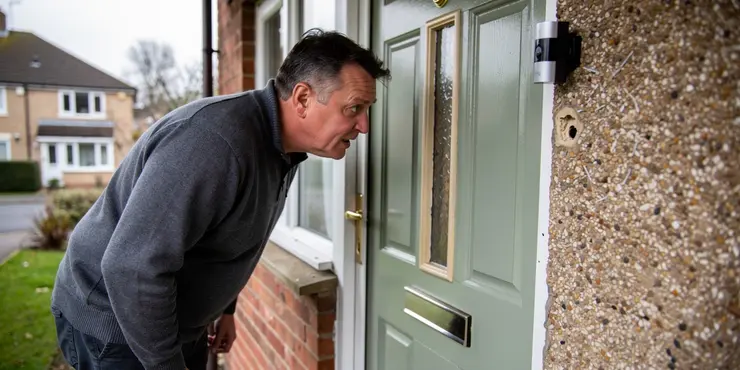
Theft of a Ring Doorbell Camera can be a frustrating experience for homeowners who rely on these devices for security. These cameras are designed to enhance home security by providing real-time surveillance and notifying homeowners of any activity at their front door. Unfortunately, like any valuable piece of technology placed outside, these devices can become targets for thieves. Understanding what steps to take if your Ring Doorbell Camera is stolen is crucial.
Reporting the Theft to the Authorities
If your Ring Doorbell Camera is stolen, the first step is to report the theft to local law enforcement. Ensure you provide all relevant details, including the time and location of the theft, and any video evidence captured prior to the theft. This information could be crucial not only for potentially recovering your property but also for helping to solve broader security concerns in your area.
Contacting Ring for Support
After reporting the theft to the police, the next step is to contact Ring’s customer service. Ring offers theft protection as part of their service. When contacted, they may request a copy of the police report and details of the incident. Once they have verified the theft, Ring generally provides a free replacement of the stolen device, provided you follow their specific guidelines and terms of service. It is essential to act quickly as certain timelines may apply.
Preventing Future Thefts
To reduce the risk of another theft, consider additional security measures for your replacement device. You might install the doorbell in a way that makes it more difficult to remove, such as securing it with screws or an anti-theft mount. Additionally, placing the device in a location that's within the range of a security camera can provide supplementary surveillance and deter potential thieves. Regularly updating your security system and ensuring your device’s firmware is up-to-date can also enhance security.
Understanding Insurance Coverage
It's worth checking whether your home insurance policy covers the theft of outdoor devices like a Ring Doorbell Camera. Some insurance policies might offer coverage for such incidents under personal property protection. If covered, you may file a claim to recover or offset the costs associated with the theft, including any repairs or replacements.
Conclusion
While having your Ring Doorbell Camera stolen is disruptive, it is important to take swift action by reporting the theft, contacting Ring for a possible replacement, and implementing preventive measures. By enhancing your home security and understanding the support options available, you can confidently continue to protect your property. Always stay informed about your device’s security features and maintain open communications with your home insurance provider for added peace of mind.
Understanding When Someone Steals a Ring Doorbell Camera
Having your Ring Doorbell Camera stolen can be very upsetting. People use these cameras to keep their homes safe. They let you see what is happening at your front door. Sadly, people can steal these cameras because they are valuable. It is important to know what to do if this happens to you.
Telling the Police About the Theft
If your Ring Doorbell Camera is stolen, tell the police first. Give them all the details like when and where it happened. If your camera recorded anything before it was stolen, share that too. This can help the police find your camera and keep your neighborhood safe.
Getting Help from Ring
After telling the police, contact Ring for help. Ring has a plan for stolen cameras. They might ask for a copy of the police report and details about what happened. If they believe it was stolen, they usually give you a new camera for free. Make sure you do this quickly because there might be a time limit.
Stopping Future Thefts
To stop someone from stealing your new camera, you can make it harder to take. Use strong screws or a special mount to hold it in place. Put the camera where another security camera can see it. This might scare off thieves. Also, keep your security system updated and make sure your camera software is current.
Checking Your Insurance
See if your home insurance covers stolen outdoor devices like a Ring Doorbell Camera. Some insurance plans pay for these losses. If your insurance covers it, you can ask them to help pay for a new camera.
Conclusion
If your Ring Doorbell Camera is stolen, act quickly. Tell the police, contact Ring for a new camera, and take steps to stop it from happening again. By making your home safer and knowing your options, you can keep protecting your home. Stay informed about your camera's security and talk to your insurance company to feel more secure.
Frequently Asked Questions
You should report the theft to the police and get a copy of the report. Then, contact Ring's support team to report the theft.
Yes, Ring has a Theft Protection program that might replace your stolen device at no cost if you provide a police report.
You can contact Ring support through their website, via the Ring app, or by calling their customer service number.
Yes, Ring requires a copy of the police report to process a replacement under their Theft Protection program.
You should report the theft to Ring within 15 days of the incident to be eligible for a replacement.
No, if your device is eligible and the necessary documentation is provided, Ring will replace it at no cost under the Theft Protection program.
Without your credentials, a stolen Ring device may be of limited use, but it's important to change any associated passwords.
You will need to provide information such as the police report, the original proof of purchase, and your Ring account details.
If you have a Ring Protect Plan, your video footage is stored in the cloud and can be accessed from the Ring app.
Consider using a secure mounting system, installing the camera out of reach, or using additional security devices like a cage or a video surveillance sign.
Once your claim is approved, it typically takes a few days to process and ship the replacement device.
It's best to contact Ring support to discuss the situation, but repeated thefts might require additional documentation and security measures.
Coverage can vary by policy, so it's best to check with your insurance provider to see if your device is covered.
Ring devices do not have built-in GPS, so tracking would not be possible without additional tracking technology.
Share any evidence with the police and encourage your neighbor to provide a statement to support the police report.
Ring's Theft Protection program is separate from any warranty and specifically covers replacements for stolen devices.
Yes, you should log into the Ring app and remove the device from your account to prevent unauthorized access.
Gather video footage, photos if possible, notes of any witness accounts, and keep records of the theft report.
Yes, you can access your account and cloud-stored footage without the physical device using the Ring app.
Ring offers a security mounting kit that can help deter theft of your Ring Doorbell Camera.
Tell the police about the stolen item. Ask them for a paper that says you told them. Then, talk to Ring's help team and tell them someone stole from you.
Yes, Ring can help if your device is stolen. They might give you a new one for free if you provide a police report.
You can get help from Ring in a few ways. Go to their website, use the Ring app, or call their customer service number.
Yes, Ring needs a copy of the police report to get you a new one if it’s stolen.
If someone steals your Ring, tell Ring what happened. Do this within 15 days to get a new one.
No, if someone steals your device and you have the right papers, Ring will give you a new one for free.
If someone steals your Ring device, they might not be able to use it easily. But you should change your passwords to be safe. This will help keep your information private.
You need to share some things:
1. A copy of the police report.
2. A copy of your receipt from when you bought it.
3. Your Ring account information.
If you have a Ring Protect Plan, your videos are saved online. You can watch them using the Ring app on your phone or tablet.
Think about putting your camera up high where people can't reach it. You can also use safety tools like a strong holder, a cage around the camera, or a sign that says video cameras are watching. These things can help keep your camera safe.
After we say "yes" to your claim, it takes a few days to get your new device ready and send it to you.
It's a good idea to talk to Ring support. They can help you with your problem. If things keep getting stolen, you might need to take extra steps and keep notes about what happens.
Insurance plans can be different. It is a good idea to ask your insurance company if they cover your device.
Ring devices can't show where they are because they don't have GPS. To track them, you would need extra gadgets.
Show any proof you have to the police. Ask your neighbor to talk to the police and help with the report.
Ring has a special program to help if someone steals your device. This is different from the usual promise to fix broken things. It means if your Ring device is stolen, they will give you a new one.
Yes, you need to open the Ring app and take the device off your account. This will stop people from getting in without permission.
Take videos and pictures if you can. Write down what people saw. Keep a copy of the report about the theft.
Yes, you can look at your account and saved videos without the device. Just use the Ring app.
Ring has a special kit that helps keep your Ring Doorbell Camera safe. It can stop people from stealing it.

Ergsy Search Results
This website offers general information and is not a substitute for professional advice.
Always seek guidance from qualified professionals.
If you have any medical concerns or need urgent help, contact a healthcare professional or emergency services immediately.
Some of this content was generated with AI assistance. We've done our best to keep it accurate, helpful, and human-friendly.
- Ergsy carefully checks the information in the videos we provide here.
- Videos shown by Youtube after a video has completed, have NOT been reviewed by ERGSY.
- To view, click the arrow in centre of video.
- Most of the videos you find here will have subtitles and/or closed captions available.
- You may need to turn these on, and choose your preferred language.
- Go to the video you'd like to watch.
- If closed captions (CC) are available, settings will be visible on the bottom right of the video player.
- To turn on Captions, click settings.
- To turn off Captions, click settings again.