
Get Answers
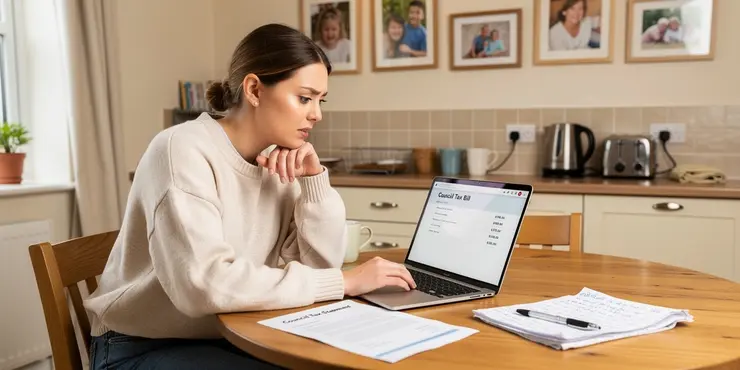
Understanding Your Council Tax Bill
Council Tax is a local taxation system used in England, Scotland, and Wales to fund services such as rubbish collection, street maintenance, and local education. Every year, local councils issue Council Tax bills to households outlining the amount owed, the payment schedule, and contact information for further inquiries.
Accessing Your Council Tax Bill Online
Most local councils in the UK offer an online portal where you can view and download your Council Tax bill. To access your bill online, you usually need to register for an online account on your council's official website. Registration typically requires your Council Tax account number, which is found on any previous bills or correspondence from the council, and personal information to verify your identity.
Once registered, you can log into your account to view and download your bill as a PDF. This service is convenient as it allows you to access your bill 24/7, reduce paper waste, and maintain electronic records of your payments.
Requesting a Paper Copy
If you prefer a hard copy of your Council Tax bill or do not have access to the internet, you can request a paper copy directly from your local council's customer service department. You can find the contact information for your council on their official website or in the local directory. Some councils may offer an automated phone service where you can request a bill to be mailed to you by entering your account details.
Updating Your Contact Information
It is crucial to ensure that your council has your correct contact information to receive timely updates and correspondence, including your Council Tax bill. If you have recently moved or changed your contact details, you should notify your local council as soon as possible. Most councils allow you to update your details online or by contacting their customer service department.
Troubleshooting Issues
If you encounter any issues accessing your Council Tax bill, whether online or by mail, your first point of contact should be your local council's customer service. They can assist with log-in issues, account discrepancies, or any questions you may have regarding your bill. Some councils also offer live chat support on their websites, providing another quick way to get help.
Council Tax bills are an essential aspect of household management in the UK, and having access to your bill ensures you meet your payment obligations and avoid any potential penalties for late payments. Consider setting up direct debits or standing orders for ease of payment and to avoid missing any deadlines.
Understanding Your Council Tax Bill
Council Tax is money people pay to help their town or city. It helps pay for things like picking up rubbish, fixing roads, and schools. Every year, you get a bill from the council that tells you how much you need to pay and when to pay it.
Getting Your Council Tax Bill Online
Many councils let you see your Council Tax bill online. To do this, you have to sign up on your council's website. You will need your Council Tax account number from any old bills and some details about yourself.
After you sign up, you can see your bill anytime as a PDF file. This way is easy because you can check it anytime, save paper, and keep track of what you have paid.
Getting a Paper Copy
If you want a paper copy of your Council Tax bill or cannot go online, you can ask your council's customer service to send you one. You can find their phone number on their website or in the phone book. Some councils let you call and ask for a paper bill by entering your account number.
Updating Your Contact Information
It's important to tell your council if you change your address or phone number so you get your bills on time. If you move house or get a new phone number, you should tell your council quickly. Most councils let you change your details online or by calling them.
Getting Help with Problems
If you have trouble getting your Council Tax bill, you should contact your council's customer service. They can help if you can't log in, if there are mistakes with your bill, or if you have questions. Some councils have a chat service on their website where you can talk to someone for help.
Council Tax bills are important because they help make sure you pay on time and don't get a fine. You might want to set up automatic payments from your bank so you don't forget to pay your bill.
Frequently Asked Questions
You can request a copy of your Council Tax bill by contacting your local council directly through their website or by phone.
Yes, many councils offer the option to receive your Council Tax bill via email. Check your council's website to see if they provide this service.
Most councils do not charge for a duplicate Council Tax bill, but it's best to check with your specific council to be sure.
Some councils provide online accounts where residents can view and download their Council Tax bills. Check if your council offers this service.
You will likely need your account number and personal identification details to request a copy of your Council Tax bill.
The time frame can vary depending on the council, but it usually takes a few days to a week.
Some councils allow you to access past Council Tax bills through an online account. Check with your council for details.
Generally, only the account holder or their authorized representative can request a copy of the Council Tax bill.
Contact your local council immediately to rectify any errors on your Council Tax bill.
Yes, you can usually request a paper copy by contacting your local council.
If you opt for paperless billing, most councils will automatically email your bill each year. Otherwise, a paper bill will be mailed.
It's common to receive your Council Tax bill annually around March or April, but you can request a copy anytime if needed.
Yes, you should inform your council of your new address so they can update your records and send your bill to the correct location.
Some bills may include a summary of past payments. For detailed history, check with your council or view your online account if available.
Contact your local council to update your contact information. This can often be done online, by phone, or in person.
Contact your local council to verify your mailing address and request a copy of the bill.
Yes, if both are listed on the account, they can request and receive a copy of the bill.
You can provide bank statements showing the payments or request a payment history from your council.
Yes, you can request a copy, but you may need to provide proof of authority, such as being an executor of the estate.
Check with your local council for their process to switch to electronic billing, which typically involves setting up an online account.
You can ask for a copy of your Council Tax bill. To do this, call or go to your local council's website.
Yes, lots of councils can send your Council Tax bill by email. Look at your council's website to see if they do this.
Most councils do not make you pay for another copy of your Council Tax bill. But it is a good idea to ask your own council to be sure.
Some councils let you look at your Council Tax bill on the internet. You can also save it to your computer. Check if your council has this service.
You will need your account number and some personal details to ask for a copy of your Council Tax bill. If you need help, you can ask a friend or family member.
It can take a few days to a week. This depends on the council.
Here are some tools to help understand:
- Use a Calendar: Mark the days to keep track.
- Set a Reminder: Use a phone or alarm to remind you.
Some councils let you see old Council Tax bills online. You can check with your council to find out how.
Usually, only the person who pays the Council Tax or someone who is allowed to ask for them can get a copy of the Council Tax bill.
Get in touch with your local council right away to fix any mistakes on your Council Tax bill.
Yes, you can ask your local council to send you a paper copy.
If you choose to get your bill through email, your council will send it to you every year. If not, you will get a bill in the mail.
You usually get your Council Tax bill once a year in March or April. If you need another copy, you can ask for one.
You need to tell your local council your new address. This way, they can send your bill to the right place.
Some bills show a summary of past payments. To see more details, ask your council or look at your online account, if you have one.
To change your contact details, talk to your local council. You can do this on the internet, by phone call, or by visiting them.
If you need extra help, you can ask someone you trust for support or use special apps that read text out loud.
Talk to your local council. They can help you check your address. They can also give you another copy of the bill.
Yes, if both people's names are on the account, they can ask for and get a copy of the bill.
You can show your bank papers that have the payments on them. You can also ask your council for a list of the payments.
Yes, you can ask for a copy. But you might need to show proof, like being in charge of the person's things after they have passed away.
Ask your local council how to get bills online. Usually, you need to make an account on their website.

Ergsy Search Results
This website offers general information and is not a substitute for professional advice.
Always seek guidance from qualified professionals.
If you have any medical concerns or need urgent help, contact a healthcare professional or emergency services immediately.
Some of this content was generated with AI assistance. We've done our best to keep it accurate, helpful, and human-friendly.
- Ergsy carefully checks the information in the videos we provide here.
- Videos shown by Youtube after a video has completed, have NOT been reviewed by ERGSY.
- To view, click the arrow in centre of video.
- Most of the videos you find here will have subtitles and/or closed captions available.
- You may need to turn these on, and choose your preferred language.
- Go to the video you'd like to watch.
- If closed captions (CC) are available, settings will be visible on the bottom right of the video player.
- To turn on Captions, click settings.
- To turn off Captions, click settings again.