
Speak To An Expert
Get clear, personalised advice for your situation.
Jot down a few questions to make the most of your conversation.
More Items From Ergsy search
-
What is an online tax return?
Relevance: 100%
-

Starting your online tax return
Relevance: 96%
-

Can I amend an online tax return?
Relevance: 96%
-
Do I need to print and mail my online tax return?
Relevance: 89%
-

How can I check the status of my online tax return?
Relevance: 89%
-

What happens after I file my tax return online?
Relevance: 83%
-

What is a Self Assessment tax return?
Relevance: 79%
-

When is the deadline to file taxes online?
Relevance: 77%
-

My first Self Assessment tax return
Relevance: 77%
-

Do online tax services help maximize my refund?
Relevance: 74%

-

Can I file my state taxes online as well?
Relevance: 74%
-

How do I complete my Self Assessment tax return?
Relevance: 73%
-

When is the deadline for submitting my Self Assessment tax return?
Relevance: 73%
-

Are there free options for filing taxes online?
Relevance: 72%
-

Do I need an accountant to file a Self Assessment tax return?
Relevance: 72%
-

How do I start filing my taxes online?
Relevance: 72%
-

What if I make a mistake on my tax return?
Relevance: 72%
-

Can I file taxes online after the deadline?
Relevance: 72%
-

Can I amend my tax return after submitting it?
Relevance: 71%
-

Is it safe to file taxes online?
Relevance: 70%
-

Can I file my taxes online if I'm self-employed?
Relevance: 70%
-

What should I do if I made a mistake on my tax return?
Relevance: 70%
-

Can I get help while filing taxes online?
Relevance: 69%
-

Can I file taxes online after the deadline?
Relevance: 68%
-

Is it necessary to complete a final tax return for the deceased?
Relevance: 67%
-

Who needs to file a Self Assessment tax return?
Relevance: 65%
-
How do I file VAT returns?
Relevance: 64%
-

What information do I need to complete my Self Assessment tax return?
Relevance: 60%
-
Do I need to declare my ISA income on my tax return?
Relevance: 60%
-

How long does it take to receive a tax refund from HMRC?
Relevance: 59%
-

Do I need to report the Winter Fuel Payment on my tax return?
Relevance: 57%
-
Can I access my Council Tax payment history online?
Relevance: 54%
-

What documents do I need to file my taxes online?
Relevance: 52%
-

Do VAT rules apply to online sales?
Relevance: 51%
-

How do I claim my tax refund from HMRC?
Relevance: 51%
-

What information do I need to set up a Time to Pay arrangement online?
Relevance: 51%
-

What happens to a deceased’s Income Tax if they were employed?
Relevance: 50%
-

I received a refund but think I owe tax instead. What should I do?
Relevance: 50%
-
What is an HMRC tax refund letter?
Relevance: 50%
-

What is input tax and output tax?
Relevance: 49%
What is an Online Tax Return?
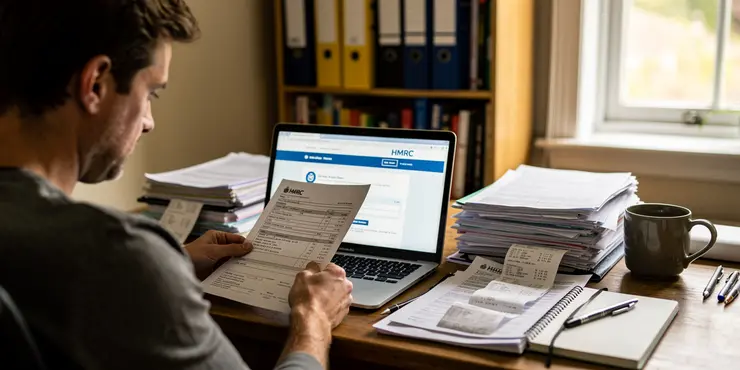
An online tax return is a digital submission of your income and tax details to HM Revenue & Customs (HMRC). This form is used to report your earnings, expenses, and any tax reliefs you are entitled to. It simplifies the process of sharing financial information with the government's tax authority.
The online format allows for faster processing and is accessible directly through HMRC's online services. It is particularly useful for individuals who have complex income streams or are self-employed.
Who Needs to File an Online Tax Return?
In the UK, you need to file an online tax return if you are self-employed or have additional income. This includes rental income, dividends, or overseas income. Even if you are employed and your taxes are usually handled through PAYE, additional earnings may necessitate a tax return.
Individuals earning over £100,000 annually must also file one. Certain cases, such as claiming child benefit, may require a tax return if your income exceeds £50,000.
Benefits of Filing Online
Filing your tax return online is faster and provides instant confirmation upon submission. This reduces the uncertainty that often accompanies mailing paper documents. Additionally, online filing offers built-in calculators and checks, helping reduce errors.
The online system is available 24/7, allowing you to file at your convenience. It also enables you to save your progress, so you don't need to complete it all at once.
How to File Your Tax Return Online
To file online, you first need to register for self-assessment with HMRC. Once registered, you will receive a Unique Taxpayer Reference (UTR) and activation code to access the online services. It’s important to keep these details secure.
After logging into your HMRC account, follow the on-screen instructions to complete your tax return. Make sure to have all necessary documents, such as P60s, P45s, and records of additional income, ready for reference.
Deadlines and Penalties
The deadline for filing an online tax return in the UK is 31 January following the end of the tax year. Submitting late can result in immediate fines starting at £100, which may increase over time. Interest may also accrue on any unpaid tax.
It is crucial to meet this deadline to avoid penalties and to ensure your financial affairs are in order. For paper returns, the deadline is earlier, on 31 October.
Conclusion
An online tax return is a convenient method for individuals to report their financial information to HMRC. It is faster and more accurate, reducing the potential for mistakes. Meeting deadlines is important to avoid penalties, so mark your calendar to ensure compliance.
Frequently Asked Questions
What is an online tax return?
An online tax return is a way of submitting your income tax information to the relevant tax authority through the internet, typically using a dedicated website or application.
How do I file my taxes online?
You can file your taxes online by using tax software or an online tax filing service provided by the government or third-party providers. You'll need to enter your income and deduction information, which the software will use to generate and submit your return.
What are the benefits of filing taxes online?
Filing taxes online is often faster and more convenient than paper filing. It can help reduce errors, provide faster refunds, and allow for easier record-keeping. Many systems also offer step-by-step instructions.
Is it safe to file my taxes online?
Yes, it is generally safe to file taxes online when using reputable tax software or services. Ensure the service uses encryption and has good security practices. It's also a good idea to use strong passwords and secure internet connections.
Can I file my tax return online for free?
Yes, many tax authorities and some third-party providers offer free filing services for simple tax returns, especially if your income is below a certain threshold.
What documents do I need to file my tax return online?
You'll need documents such as your W-2 forms, 1099 forms, receipts for deductible expenses, and information about any other income or credits you are claiming.
When is the deadline to file my tax return online?
The deadline varies by country. For example, in the United States, the deadline is typically April 15th, but it is best to check with your local tax authority for specific due dates.
What if I make a mistake on my online tax return?
If you make a mistake on your online tax return, you can usually file an amended return to correct it. It's important to do this as soon as you notice the error to avoid potential penalties.
How will I know if my online tax return was successfully filed?
After submitting your tax return online, you should receive a confirmation notice or email indicating that it was successfully received by the tax authorities.
What should I do if my online tax return is rejected?
If your online tax return is rejected, you should check for common errors, such as incorrect Social Security numbers or mismatched information. Correct these errors and resubmit your return.
Can I file my previous years' taxes online?
Yes, many online tax services and software allow you to file returns for previous years, but always check with the tax authority as there might be different rules or restrictions.
Will filing my taxes online affect my refund time?
Filing online typically speeds up the processing of your return, which can result in a quicker refund compared to filing a paper return.
Do I need to mail any documents if I file my taxes online?
In most cases, you do not need to mail any documents when filing online. However, you should keep copies of your return and any supporting documents for your records.
Can I pay any taxes owed online as well?
Yes, most tax authorities allow electronic payment for any taxes owed, which can be done along with filing your return online.
What kinds of tax returns can be filed online?
Typically, individual income tax returns, as well as some business, corporate, and estate returns, can be filed online, depending on the jurisdiction.
Do I need a specific software to file taxes online?
While specific software can be helpful, many tax authorities and providers offer online platforms that do not require separate software installations.
Is there a fee for filing my tax return online?
Fees vary by provider. Some offer free services for simple returns, while others might charge based on the complexity of your return.
How do I choose the right online tax filing service?
Consider factors like cost, ease of use, customer support, security, and any additional features offered. Reading reviews can also be helpful.
Can I still use an accountant if I file online?
Yes, many accountants and tax professionals offer electronic filing services and can help you file online, ensuring your return is accurate.
What happens if I don’t file my tax return online on time?
If you miss the filing deadline, you may be subject to penalties and interest on any taxes owed. It's important to file or request an extension before the deadline to avoid these.

Useful Links
This website offers general information and is not a substitute for professional advice.
Always seek guidance from qualified professionals.
If you have any medical concerns or need urgent help, contact a healthcare professional or emergency services immediately.
Some of this content was generated with AI assistance. We've done our best to keep it accurate, helpful, and human-friendly.
- Ergsy carefully checks the information in the videos we provide here.
- Videos shown by Youtube after a video has completed, have NOT been reviewed by ERGSY.
- To view, click the arrow in centre of video.
- Most of the videos you find here will have subtitles and/or closed captions available.
- You may need to turn these on, and choose your preferred language.
- Go to the video you'd like to watch.
- If closed captions (CC) are available, settings will be visible on the bottom right of the video player.
- To turn on Captions, click settings.
- To turn off Captions, click settings again.
More Items From Ergsy search
-
What is an online tax return?
Relevance: 100%
-
Starting your online tax return
Relevance: 96%
-
Can I amend an online tax return?
Relevance: 96%
-
Do I need to print and mail my online tax return?
Relevance: 89%
-
How can I check the status of my online tax return?
Relevance: 89%
-
What happens after I file my tax return online?
Relevance: 83%
-
What is a Self Assessment tax return?
Relevance: 79%
-
When is the deadline to file taxes online?
Relevance: 77%
-
My first Self Assessment tax return
Relevance: 77%
-
Do online tax services help maximize my refund?
Relevance: 74%
-
Can I file my state taxes online as well?
Relevance: 74%
-
How do I complete my Self Assessment tax return?
Relevance: 73%
-
When is the deadline for submitting my Self Assessment tax return?
Relevance: 73%
-
Are there free options for filing taxes online?
Relevance: 72%
-
Do I need an accountant to file a Self Assessment tax return?
Relevance: 72%
-
How do I start filing my taxes online?
Relevance: 72%
-
What if I make a mistake on my tax return?
Relevance: 72%
-
Can I file taxes online after the deadline?
Relevance: 72%
-
Can I amend my tax return after submitting it?
Relevance: 71%
-
Is it safe to file taxes online?
Relevance: 70%
-
Can I file my taxes online if I'm self-employed?
Relevance: 70%
-
What should I do if I made a mistake on my tax return?
Relevance: 70%
-
Can I get help while filing taxes online?
Relevance: 69%
-
Can I file taxes online after the deadline?
Relevance: 68%
-
Is it necessary to complete a final tax return for the deceased?
Relevance: 67%
-
Who needs to file a Self Assessment tax return?
Relevance: 65%
-
How do I file VAT returns?
Relevance: 64%
-
What information do I need to complete my Self Assessment tax return?
Relevance: 60%
-
Do I need to declare my ISA income on my tax return?
Relevance: 60%
-
How long does it take to receive a tax refund from HMRC?
Relevance: 59%
-
Do I need to report the Winter Fuel Payment on my tax return?
Relevance: 57%
-
Can I access my Council Tax payment history online?
Relevance: 54%
-
What documents do I need to file my taxes online?
Relevance: 52%
-
Do VAT rules apply to online sales?
Relevance: 51%
-
How do I claim my tax refund from HMRC?
Relevance: 51%
-
What information do I need to set up a Time to Pay arrangement online?
Relevance: 51%
-
What happens to a deceased’s Income Tax if they were employed?
Relevance: 50%
-
I received a refund but think I owe tax instead. What should I do?
Relevance: 50%
-
What is an HMRC tax refund letter?
Relevance: 50%
-
What is input tax and output tax?
Relevance: 49%