
Get Answers
Understanding Online Access to Council Tax Payment History
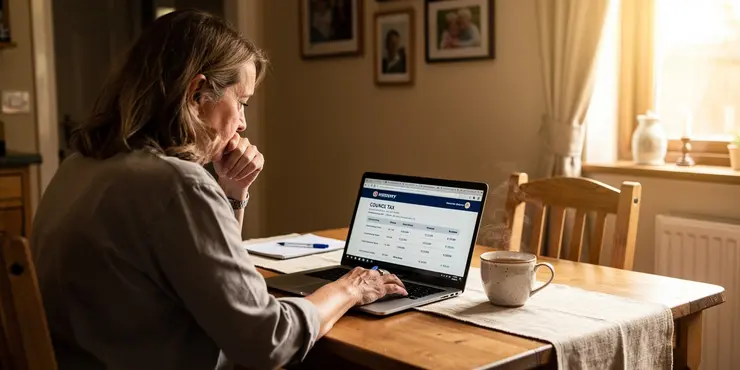
For UK residents, managing council tax effectively is an important aspect of maintaining personal finances. One way to stay on top of your council tax is to have easy access to your payment history. Many UK councils now allow residents to access their council tax accounts online, which includes viewing payment histories.
How to Access Your Council Tax Account Online
To access your council tax payment history online, you will need to visit your local council's official website. Most councils offer an online portal or service where you can log in and manage your council tax account. You'll typically find this under a section related to council services or residents.
Registering for an Online Account
If you haven't already registered for online access, you will likely need to create an account. This process usually involves providing some personal details, including your council tax account number, which can be found on your latest bill, and an email address. You will also need to create a secure password. Some councils may require additional verification steps to ensure the security of your account.
Logging In and Navigating the Portal
Once your online account is set up, you can log in using your email address and password. After logging in, you should be able to navigate to the section that displays your account details. This area will often include options to view your current balance, recent payments, and a full payment history.
Benefits of Accessing Your Payment History Online
Accessing your council tax payment history online offers several advantages. It provides a convenient way to ensure your payments are up to date, which can help you avoid any potential penalties for late or missed payments. Additionally, accessing this information online can help you better understand your financial situation and plan future payments more effectively.
Troubleshooting Common Issues
If you encounter any issues while trying to access your payment history online, there are several steps you can take. First, ensure that you are visiting the correct website for your local council. Double-check that your login credentials are correct, and consider resetting your password if necessary. If you continue to experience difficulties, most councils provide customer support via phone or email to assist with online account access issues.
Conclusion
Overall, having the ability to access your council tax payment history online is an efficient tool for managing your financial obligations. By familiarizing yourself with your council's online portal and ensuring your account is set up correctly, you can take control of your council tax administration from the comfort of your home.
Understanding How to See Your Council Tax Payments Online
In the UK, paying council tax is important for managing your money. Now, many councils let you see your payment history online. This means you can easily check your payments anytime.
How to See Your Council Tax Account Online
To look at your council tax payments online, go to your local council’s website. Look for a section about council services or for residents. There you will find a way to log in and see your account.
Making an Online Account
If you do not have an account yet, you need to make one. You will need some personal details. This includes your council tax account number, found on your bill, and your email address. You will also create a password. Some councils might ask you to do extra steps to keep your account safe.
Logging In and Using the Website
After you set up your account, log in with your email and password. Once logged in, find where it shows your account details. This area will show your current balance, recent payments, and all past payments.
Why Seeing Payments Online is Good
Checking your payments online is helpful. It makes sure you pay on time and helps avoid late payment penalties. It also helps you know your money situation better and plan your payments.
Fixing Common Problems
If you have trouble seeing your payments online, try these steps: Make sure you are on the right council website. Check that you are using the correct login details. If needed, reset your password. If you still have problems, you can call or email your council for help.
Conclusion
Being able to see your council tax payments online is useful for managing your money. Learn how to use your council’s website and make sure your account is ready. This way, you can manage your council tax easily from home.
Supportive tools like screen readers or audio help can make it easier to use these websites.Frequently Asked Questions
Yes, most councils offer online services to view your Council Tax payment history.
Yes, you typically need to create an online account with your local council to access your payment history.
No, accessing your Council Tax payment history online is usually free of charge.
This varies by council, but you can typically view several years of payment history online.
You'll generally need your Council Tax account number and personal details to log in.
Yes, most councils allow you to download or print your payment history from their online portal.
Most councils offer a password recovery option online. Follow their instructions to reset your password.
Your payment history is generally updated shortly after payments are processed, though there might be slight delays.
Yes, most council websites are mobile-friendly or offer apps for accessing your account.
Contact your local council's customer service to resolve any discrepancies in your payment history.
Most councils offer this service, but it is best to check with your specific local council.
Some councils provide the option to set up email or SMS notifications for payments and account updates.
Yes, your online history should include details of any discounts or exemptions applied to your account.
Councils typically use secure systems to protect your personal data, but it's important to keep your login details safe.
Most modern web browsers will be compatible, but check with your council for any specific requirements.
This depends on your council's policy, but generally multiple people can access the account if they have the login details.
You can usually update your personal details through the online account portal or by contacting your council.
Yes, you can typically make payments through your council's online service along with viewing your history.
It's a good idea to check periodically to ensure payments are recorded correctly and to stay informed of your account status.
Contact your local council's technical support or customer service for assistance with access issues.
Yes, most local councils let you see your Council Tax payment history online.
Yes, you usually need to make an online account with your local council to see your payment history.
No, it does not cost money to see your Council Tax payment history online. It is free.
Each council is different, but you can usually see your payment history online for a few years.
You will usually need your Council Tax account number and some personal information to log in.
Yes, most councils let you download or print your payment history from their website.
Many councils can help you if you forget your password. They have an online tool to get a new one. Just follow the steps they show you on their website.
When you pay, your payment information usually updates soon after. But sometimes, there might be a little wait.
Yes, most council websites work well on phones or have apps to use your account.
If you notice any mistakes in your payment history, talk to your local council's customer service. They can help you fix it. Use a phone or email to contact them. You can also ask someone you trust, like a family member or friend, to help you.
Most councils do this, but it's a good idea to ask your local council to be sure.
Some councils let you get emails or text messages about payments and updates to your account.
Yes, your online history should show any discounts or special offers used on your account.
Councils work hard to keep your personal information safe by using special secure systems. But you also need to do your part by keeping your login details private and safe.
Most new web browsers should work. But you can ask your council if there are any special rules.
This might be different for each council. But usually, more than one person can use the account if they know the login information.
You can change your personal information online by using your account. If you need help, you can also talk to your council.
Yes, you can usually pay on your council's website. You can also see your past payments there.
It's a good idea to check your payments often. This helps make sure they are right and keeps you updated about your account.
If you have trouble getting into something, ask for help. Talk to the people who work at your local council. They can help you. You can call them, send them a message, or visit them in person. They will help you fix the problem.

Ergsy Search Results
This website offers general information and is not a substitute for professional advice.
Always seek guidance from qualified professionals.
If you have any medical concerns or need urgent help, contact a healthcare professional or emergency services immediately.
Some of this content was generated with AI assistance. We've done our best to keep it accurate, helpful, and human-friendly.
- Ergsy carefully checks the information in the videos we provide here.
- Videos shown by Youtube after a video has completed, have NOT been reviewed by ERGSY.
- To view, click the arrow in centre of video.
- Most of the videos you find here will have subtitles and/or closed captions available.
- You may need to turn these on, and choose your preferred language.
- Go to the video you'd like to watch.
- If closed captions (CC) are available, settings will be visible on the bottom right of the video player.
- To turn on Captions, click settings.
- To turn off Captions, click settings again.